
May 3
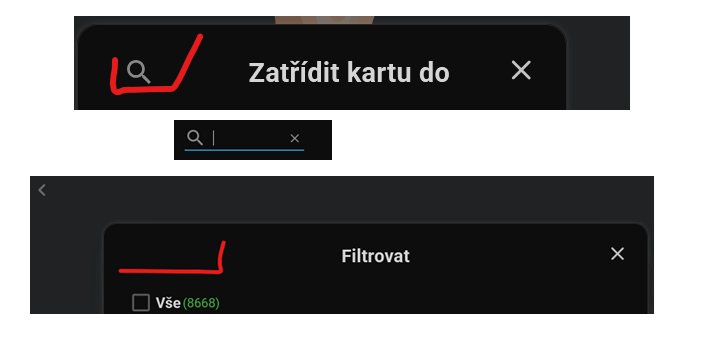
Make the Filtering functionality (magnifying glass icon) available in the main menu
The quick search feature is not available for folder filtering. steps to repro: 1. Start>Settings>Filter>you have to choose the target folder manually, please reuse the same feature here.2. Open/modify any existing flashcard in the main menu>change the folder/library> magnifying glass icon is displayed>you can start typing your target folder.
This feature will make it easier to look up the proper folder/library to be studied.
Pending