
Jun 24
Export of cards
Completed
Hi, thanks for this feature; however, the categories of my cards are missing from the export. The export does not support the French special characters either, which is a shame for a language app.... Can you please add the set/category that my cards are in, as well as the image URL of the card, please?
Hi , How can i export my cards?
Hey thanks It's really reassuring to have a backup system while your words keep growing, thanks for your great app and everything
Jai pas trouvé l'icône
Thank you for your efforts! But it works bad with German.
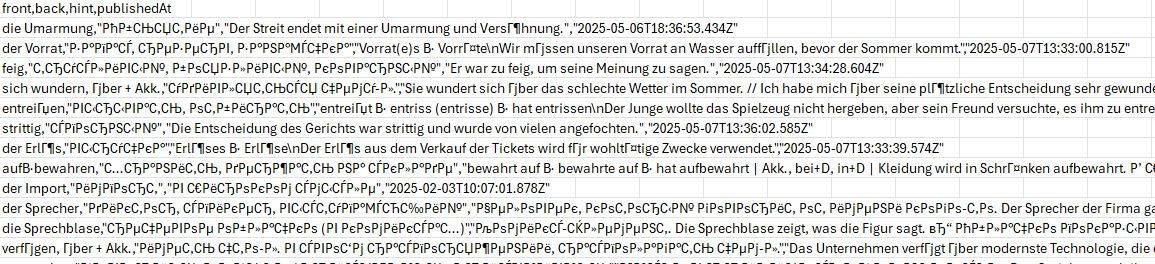
With English it looks like the same.
Роман и Таисия Кучеренко: Hi! It looks like the text is not showing correctly because of how the file is being opened. If you double-click the file, some programs (especially Excel on Windows) may not read the characters properly. Try one of these: In Excel: Open Excel first → go to File > Open > Browse, then select the CSV file. In the import window, make sure to choose "65001: Unicode (UTF-8)" as the file encoding. In Google Sheets: Go to Google Sheets, click File > Import > Upload, and open the CSV. It should show everything correctly.
Thanks so much! Is itplanned for mobile app?
Amazing, thanks !
Thanks Michaela! Is import available as well?
Sergey: Hello Sergey, import has always been available. You can import your words just by copying them into DuoCards. Use Ctrl+C to copy your list of words and then insert it in the first line when creating a new flashcard. The app will save the words one by one.
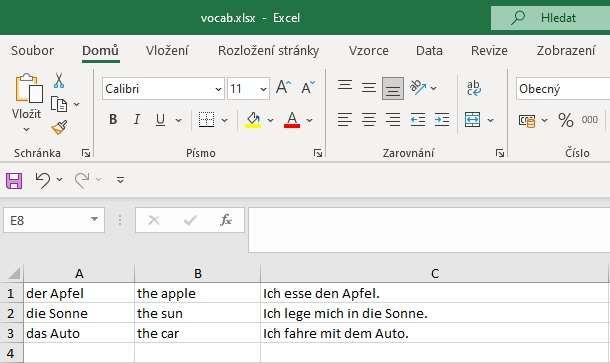
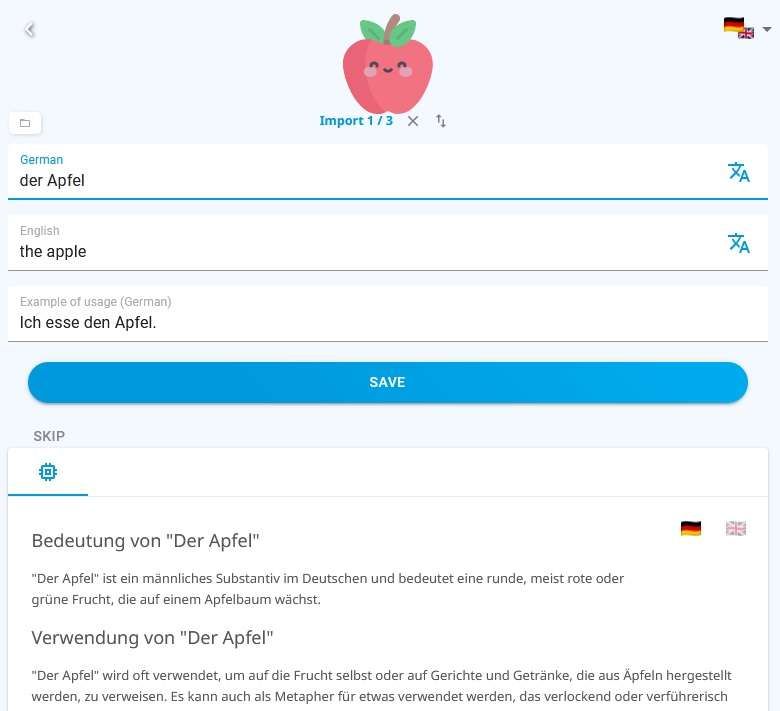
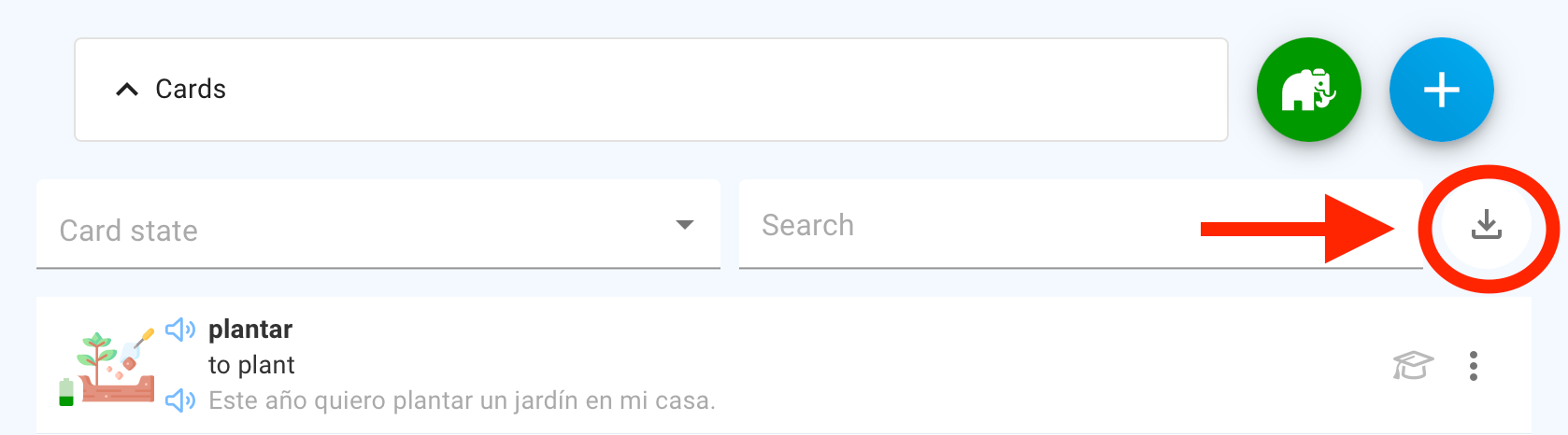
Hi everyone! The export feature is now live and running! 🔥 You can find it in the overview of your cards, under Memo’s Garden, by clicking the download icon. Please note that export is only available via a browser at app.duocards.com. Have fun! ✌️ Michaela&Team DuoCards
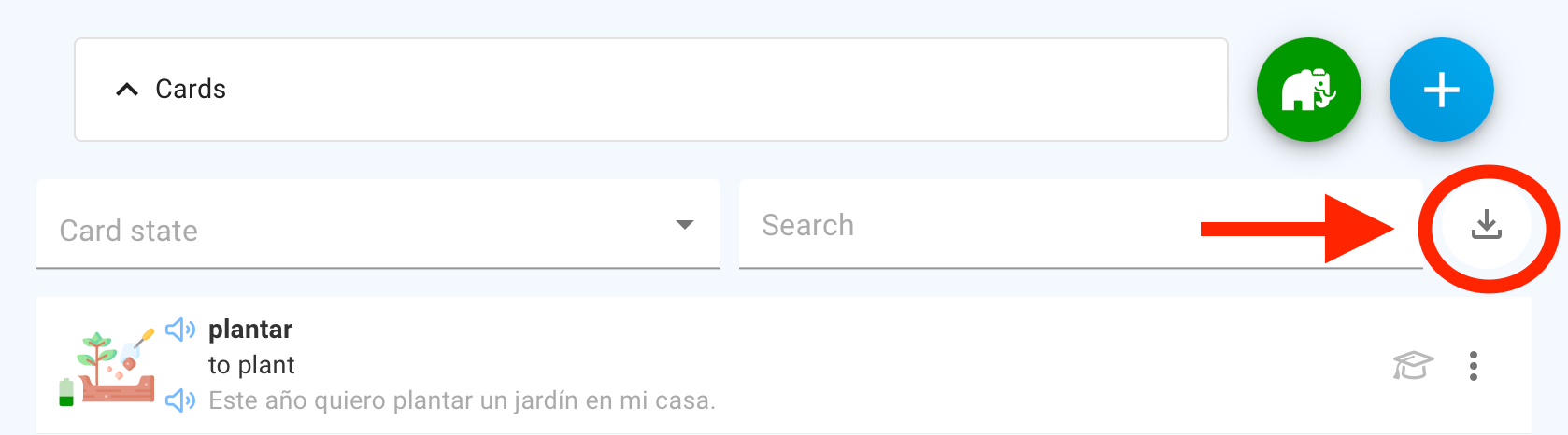
Hi everyone! The export feature is now live and running! 🔥 You can find it in the overview of your cards, under Memo’s Garden, by clicking the download icon. Please note that export is only available via a browser at app.duocards.com. Have fun! ✌️ Michaela&Team DuoCards
Michaela great news, unfortunately it's taken far too long and i no longer use this app and have switched to anki
Michaela Hello, thanks for this feature, however, the categories of my cards are missing from the export. Can you please add the set/category that my cards are in, as well as the image URL of the card please. Thanks
It also doesn't seem to include some cards I created in the last week... The last cars on the list are from January??
Michaela, this is excellent and so helpful, especially for when I will be offline for some time. Thanks so much! 🙏
Michaela Thanks for adding this cool feature. It seems that non-English words are not correctly appeared in the CSV file.
Mahmood Naderan: Could you please be more specific or share some screenshots of what you're seeing? :) Thank you!
We need to be able to import and export to CSV, minimum. It's a critical feature for any learning app - to be able to bring with you what you already know, and to be able to take what you know and use it for other applications and contexts. We need this especially because Duocards doesn't seem to allow for tagging or filtering cards into multiple decks/lists. This means we can't practice one word that is used in multiple contexts, like "clear." Is my justification clear?
Strongly backing this request, It'd be super useful to be able to export cards in CVS format. I personally use AI as a teacher and would love to feed my word list to then have exercices based on the words I already know. Thanks in advance !!
I would like it too. I should be great to manage cards in Excel, ask an analysis from an AI (correct them),...
Hi Mykola, thanks for your post! Your idea is already on Canny, so I'm merging it into the existing post "Export of cards" to consolidate votes and keep everything organized. ✌️Michaela from DuoCards
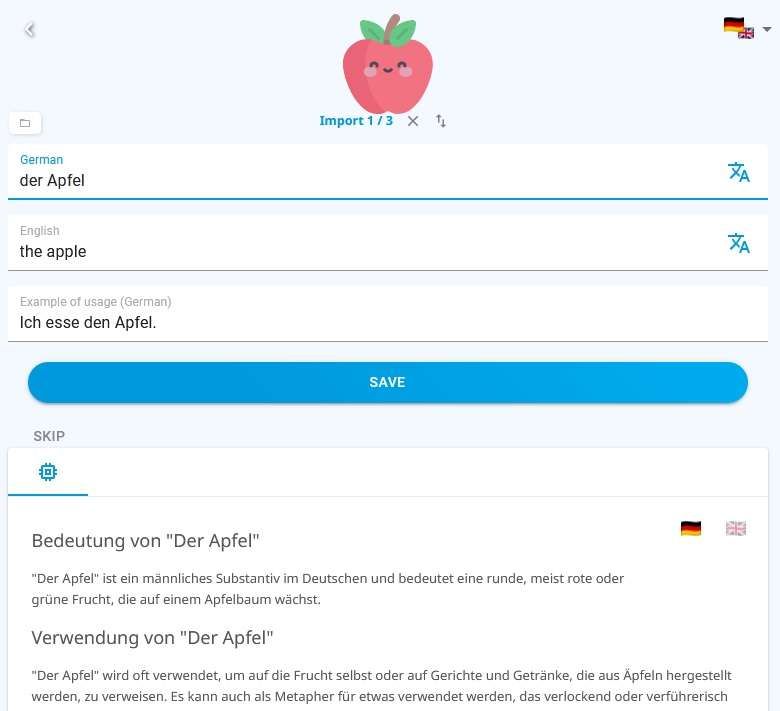
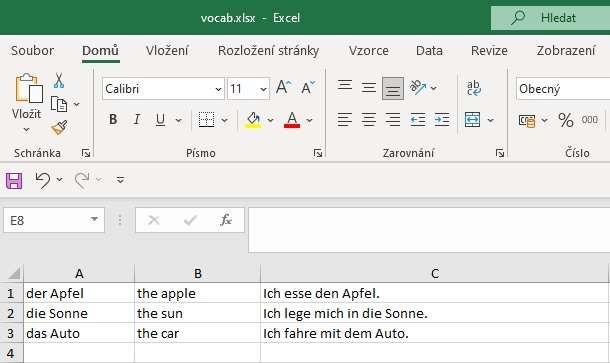
Hi Saleh, as for importing, you can easily add your words by copying them into DuoCards. Just use Ctrl+C to copy your list and paste it into the first line when creating a new flashcard. The app will automatically save each word one by one. I am attaching screenshots. 😉 There’s no option to export your vocabulary from the app since everything is securely backed up online. Is there a specific reason you’d like to do it? Let me know! 😊 Michaela from DuoCards
I very strongly join the others. The absence of this feature is a rather significant obstacle to the long-term and full use of the application. I use DuoCards quite extensively. I'm halfway through the annual paid version. I like the app a lot. However, without the ability to export the words I enter, its use is rather limited. Unfortunately, if this feature is not implemented, I will start getting the words out of the app manually in the near future and will look for and consider another app. The implementation of this feature cannot be any difficult technical problem. The absence of this feature is a deterrent to many users.
Without this feature I'm not going to pay an entire year. I need to be able to take my cards with me. I love the app but..
ASAP
Will this be considered?
Agree 100%
Following. I need this feature.
Any update on this missing feature?
I totally agree with you. The quantity of my cards is about 4 thousand and that’s really complicated to add them in my own set of cards one by one. I would like to export all of these cards at once to share with my husband, but I can't do that. This function is very much missed
This would be a really handy feature.
This would be so helpful. I've learnt about 800 words in Viet and I want to be able to export a list of all the vocab to see which words Duo thinks I've learnt when I actually need a refresh!!
Yes, having exported cards allow - work with teacher - work with AI (generate text with cards, new cards suggestion etc) - backup
Hi Dominik, thank you for sharing your insight! We already have an export suggestion in place, so I’ve merged yours with it to consolidate votes and keep things organized. Michaela from DuoCards
Maybe, it is also needed as a backup of cards. I have no way to restore a card deleted by mistake.
I would like to be able to export my cards.
We need this feature badly. Please implement it!
It would be very helpful. I can review and reorganize my cards with the possibility of export and reimport. Would be great, if i can update the progress, the sets or any else information. It could be easier to work with chat gpt.
I would like to be able to export my cards.
I completely agree. the lack of an export function makes it very difficult to work with the application
I would be a great function. For example, for example, if exporting as a csv file is possible, I can easily modify it using ChatGPT if I want to quickly add a new translation for a word, improve an existing one, or correct the text
It should be great to have the possibility to import cards also (new one and to update existing). For example, I have 1900 cards and I would like to add in a set of cards (to share with friends). For now it is difficult, we have to open each card and add it manually. And there is no possibility to find which card is not yet in the set.
Yes, please. It would be useful to have the ability to export cards into a file.
It would really useful.
This is the most requested feature I've ever dreamed of. A year ago, I sent a request to the support team, and their response indicated it might be released eventually. Please implement this option 🙏
Please, please, please. . . Export Options!!! :-) Thank you.
This app lacks only the card export feature to be the best app
I would really like to export my cards as well!!!
For the love of God, help us to export our list of cards into a CSV file or similar 🙏🏻
I really would like to be able to export my cards..
The ability to export and print, your own cards at least, would be a tremendous help.
I totally agree with you. I would really be useful to be able to export cards.
I agree: there has to be an option to export my own cards.
It would be great if we could export not only the all cards, but also a set of cards. I already exported and printed the set of cards from 2025, but this year I want to repeat it, but only with the cards which I write in 2026.